- Need to streamline machine changeovers for better efficiency
- Need to boost productivity across the entire production line
- Need to standardize data formats across different equipment
- Need to achieve full visibility of your production line
iLNB is the solution.
Viewing time 90 sec
iLNB is a line management software that manages automatic changeovers on the SMT production floor.
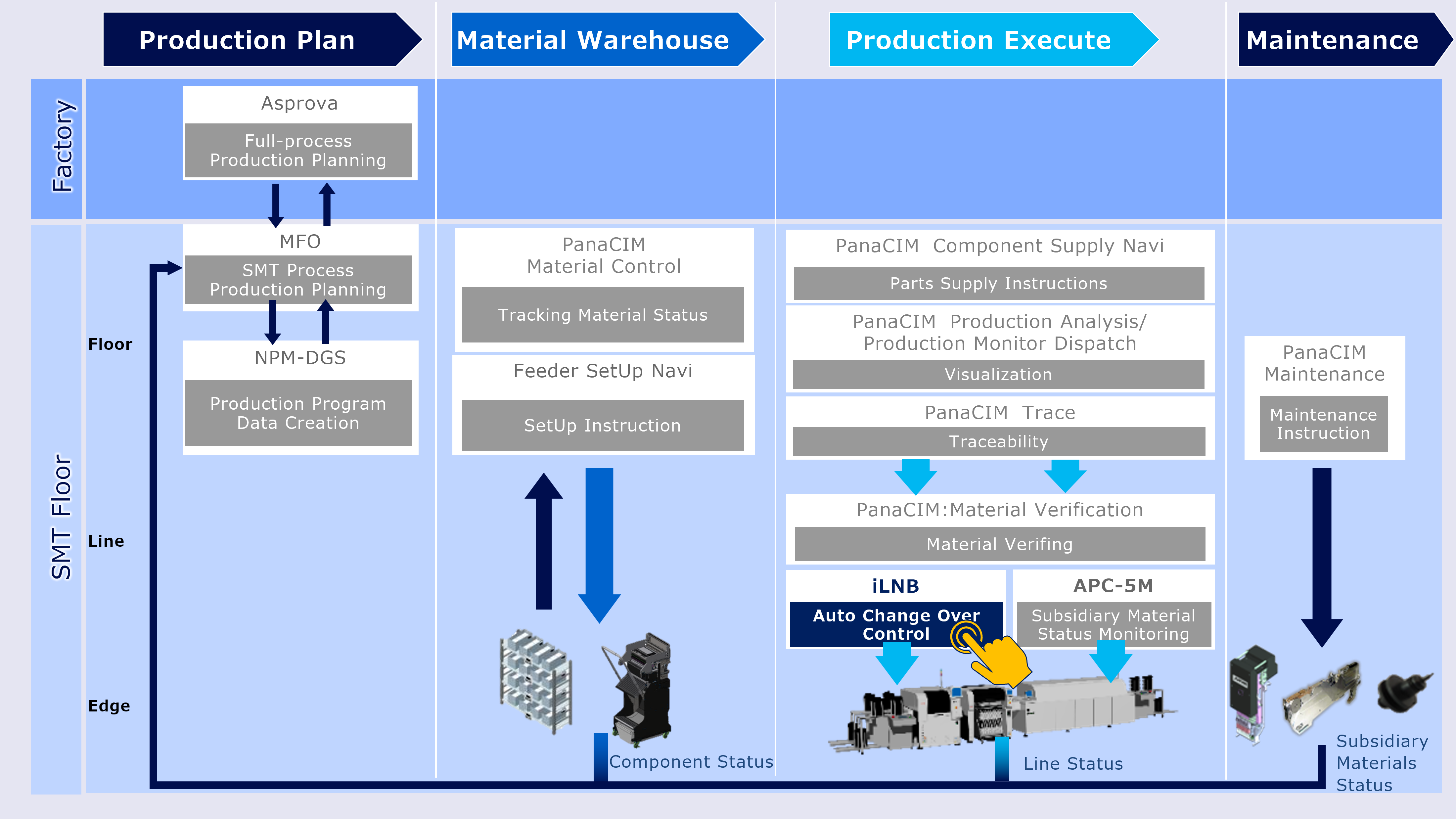
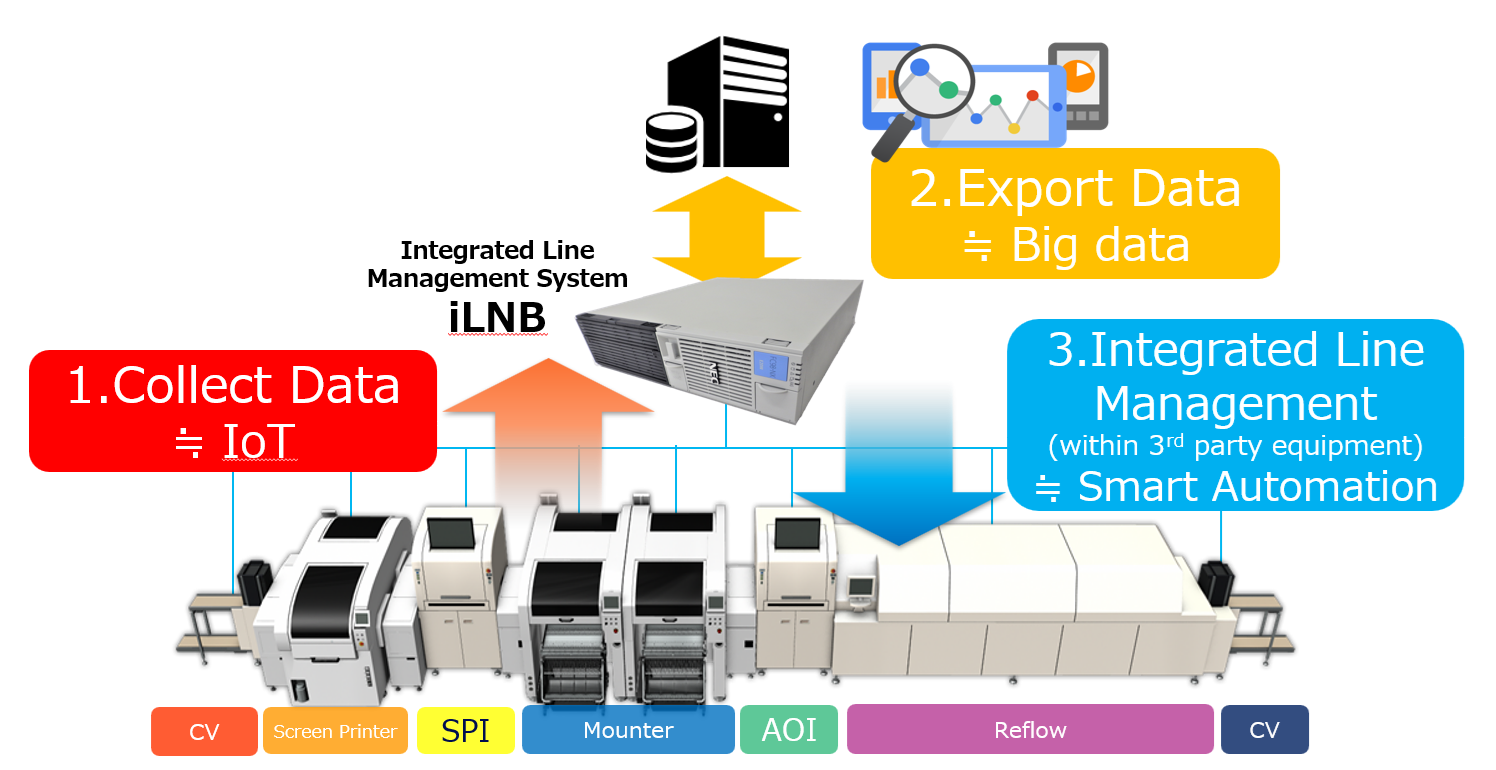
"iLNB", the integrated line management system from Panasonic, connects Panasonic equipment, third-party devices,and upper systems to solve your problems and enhance operational efficiency.
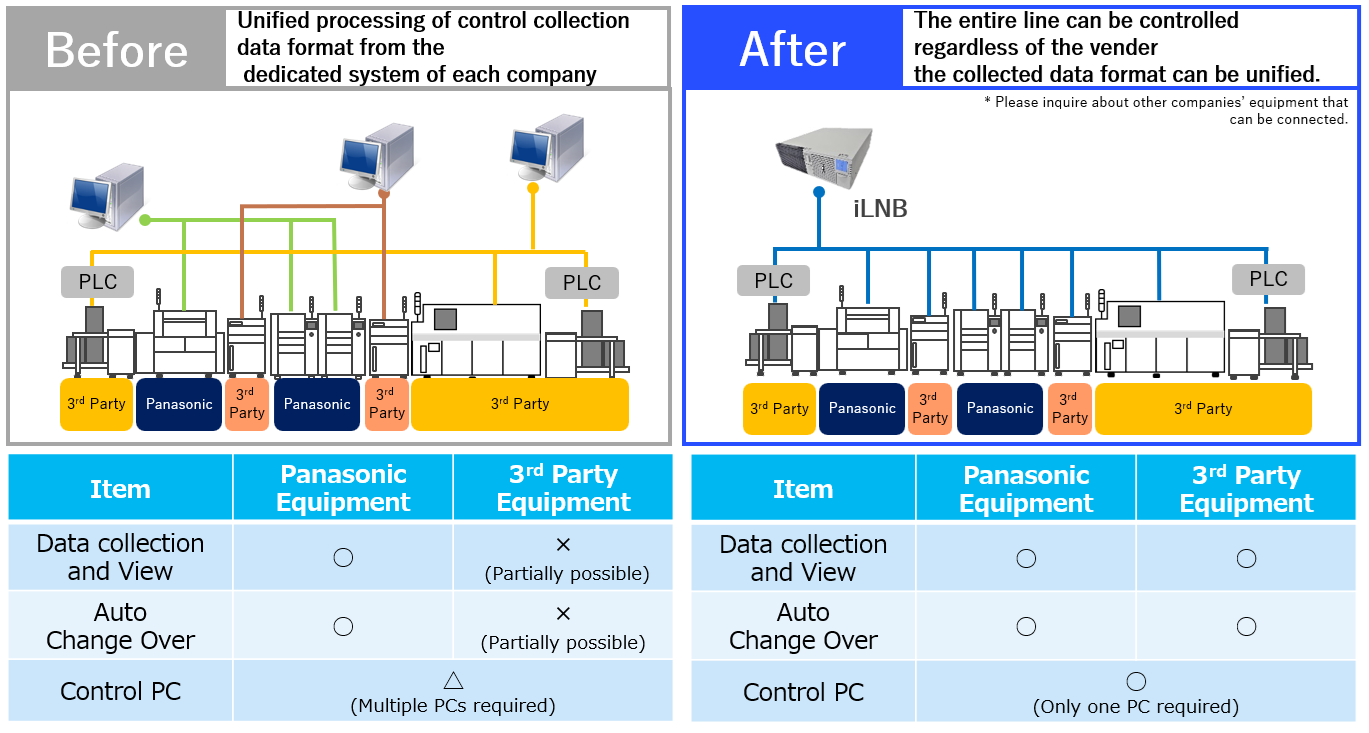
Automatic changeover
Enables recipe registration, changeover, and operational status display for the entire production line, including third-party equipment.
E-Link
Facilitates integration with external systems, including third-party products, and supports various communication protocols for data collection and input/output.
- Data Input:Imports data from customer systems to modify or update production plans, production sequences, and other parameters related to machine changeovers. Also enables sharing of performance data.
- Data Output:Collects operational data, traceability information, and status details for each PCB involved in production.
- Line Control:Executes suppression commands from external systems to manage equipment production processes.
Cross-Model ID Verification Function
The mismatch detection function verifies the unique PCB ID assigned to each board against the pre-configured production program.
- Preventing Mismatched Components and Enhancing Quality:Automatically detects production boards to prevent incorrect insertion, reducing defects and improving overall product quality.
- Improving Traceability and Accelerating Root Cause Identification :Records errors and enables rapid identification of their causes, enhancing traceability across the production process.
- Boosting Production Efficiency and Reducing Costs :Automates process stoppage tasks, minimizes waste, and increases operational efficiency, leading to cost savings.
[Case Study] Cross-Model ID Verification Function - Download
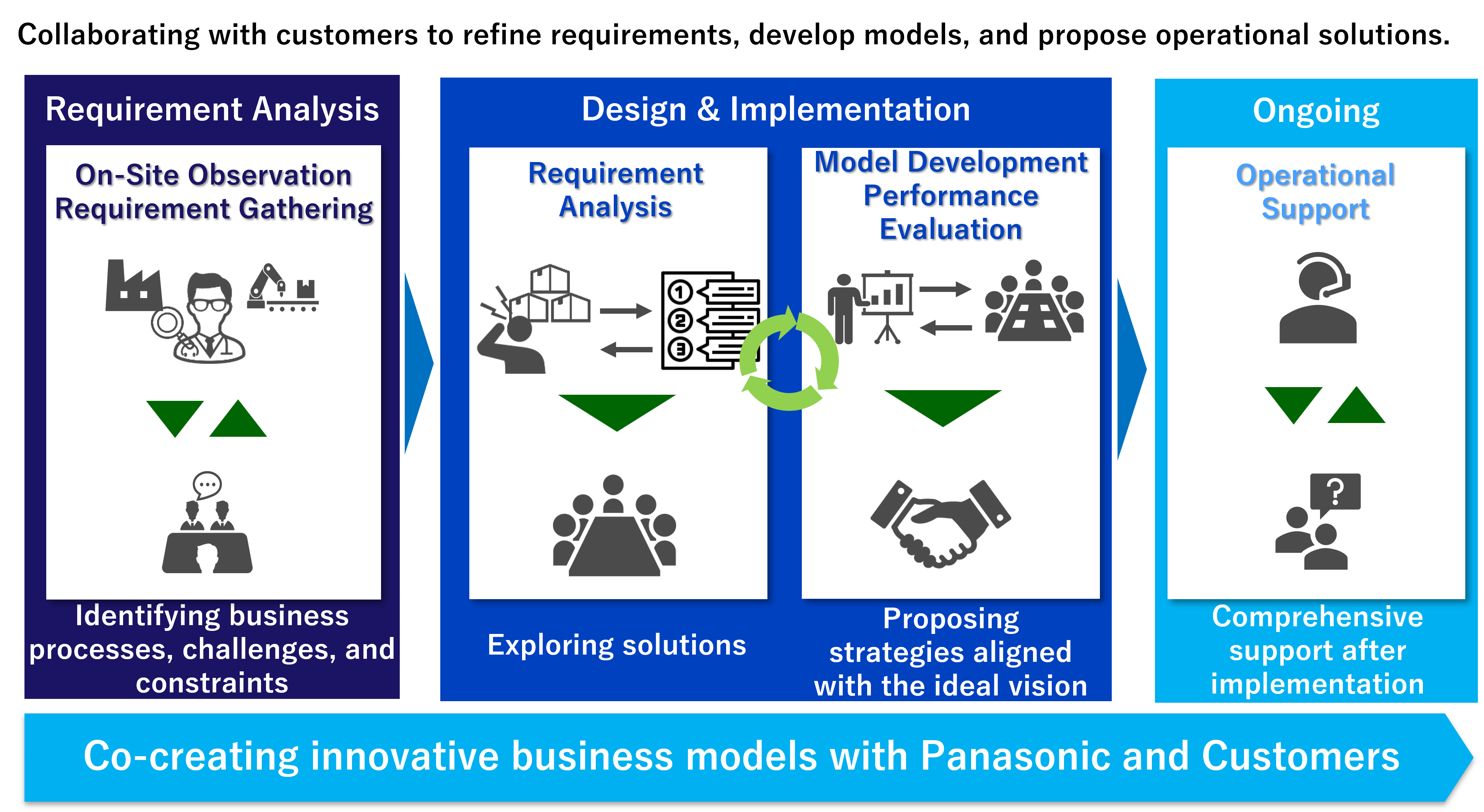
Step 1: Understanding Your Challenges
We conduct a thorough investigation and analysis of your manufacturing site to understand the flow of materials and operations, identifying key issues and challenges.
Step 2: Defining Requirements for Improvement
By hearing to your expectations for production management, planning, and workflows, we propose solutions from a third-party perspective.
Step 3: System Design, Development, and Implementation
Together with you, we design the system based on the ideal future state. If necessary, we develop custom solutions and ensure seamless implementation.
Step 4: Operational Support
We provide ongoing support to help you leverage the implemented system for continuous improvement in your operations.
ALPS ALPINE has significantly improved the hectic production environment that occurred with each model changeover since implementing iLNB. We present a case study showing how this created leeway for floor workers and reduced human errors.
Manufacturing Operations Optimizer
MFO
The “Next Innovation" in mounting production lines.
Automatic planning of optimal production based on collected worksite information, parameters, and mounting PCB data

Data Generation System
NPM-DGS
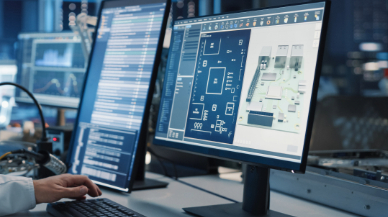
Contributes to the generation of optimal component arrangements, assembly order and production data for multiple PCBs by importing your CAD and BOM data
Mounting MES Software
PanaCIM-EE Gen2
Support is provided for improvement in QCD in each task related to mounting, through centralized management of the entire mounting floor
Feeder Setup Navigator
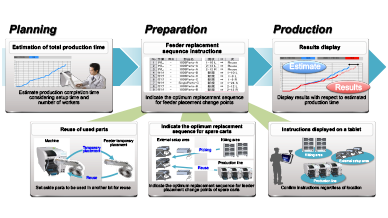
Contributes to improved productivity with highly accurate production time estimation and feeder replacement sequence instructions
Realted links for Manufacturing Operations Management System MOM
Production Scheduler Asprova Visualization Tool MotionBoard Electronic Reporting Tool i-Reporter